Make your account more secure
A few simple steps make it much harder for anyone else to get into your Safe2transact account. Here's what we recommend.
Use a strong, unique password
Your password must have at least 8 characters, with an uppercase letter, a lowercase letter, a number and a symbol. Longer is better. Don't use personal details like birthdays or names, and don't reuse a password from another site. A password manager can create and store strong passwords for you.
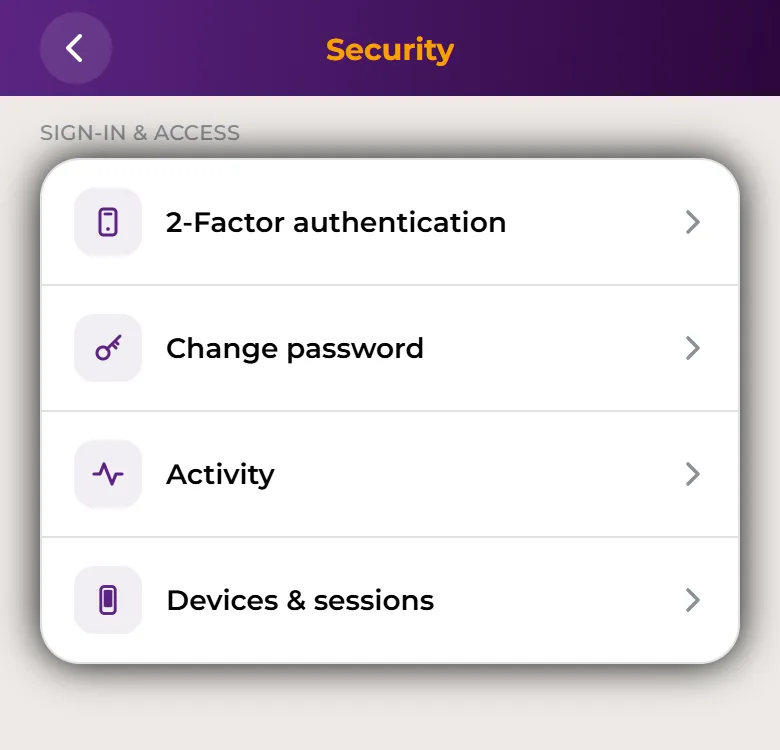
To change it: Account → Security → Change password in the app, or Security → Change password on the web. See Password reset.
Turn on 2FA with an authenticator app
2-Factor authentication (2FA) asks for a 6-digit code from an authenticator app, such as Google Authenticator, on top of your password. Even if someone learns your password, they can't sign in without that code. See How to enable or reset Two-Factor Authentication (2FA).
SMS sign-in is being retired and is not available for accounts with an IBAN. Use your authenticator app instead.
Set up a Passkey on your phone
A Passkey is a key kept in your phone's secure hardware and protected by your fingerprint, face or app PIN. It locks the app after 5 minutes without use and lets you confirm it's you on that phone. See Set up a Passkey, biometrics and app PIN.
Confirm your transactions
IBAN payments, crypto trades and crypto withdrawals must be confirmed with your 2FA. So even if someone gets into your account, they can't send your money out without your second factor.
Check your devices and sessions
From time to time, open Devices & sessions (Account → Security in the app, or Security on the web). Log out of any session you don't recognise and remove any phone you no longer use. Lost a phone? See Lost or changed your phone.
If something looks wrong
If you think someone else has access to your account, or you lost a device that can get into it, lock your account. For scams, phishing or anything else suspicious, report it to us.
More good habits
- Secure your email: use a strong, unique password and 2-step verification for the email linked to your account. Your email is used to reset your password.
- Keep your details private: never share your password, 2FA codes or app PIN with anyone. Safe2transact will never ask for them.
- Be careful on public Wi-Fi: public networks can be unsafe. Use your home network or your phone's mobile data when you can.
- Log out on shared devices: always log out when you use a computer that isn't yours, and don't let the browser save your password there.
- Keep your devices up to date: install system and app updates, and use trusted security software on your computer.
- Be careful on social media: watch out for fake profiles and links in online groups and chats. Always check the sender and the website address before you click.
Learn how to spot scams in Suspicious activities.