Statements and exporting transactions
You can download your IBAN and card transactions as a PDF or Excel file. In the app, you export the transaction list you're looking at. On the web, you can also create a statement for a date range you choose.
In the app
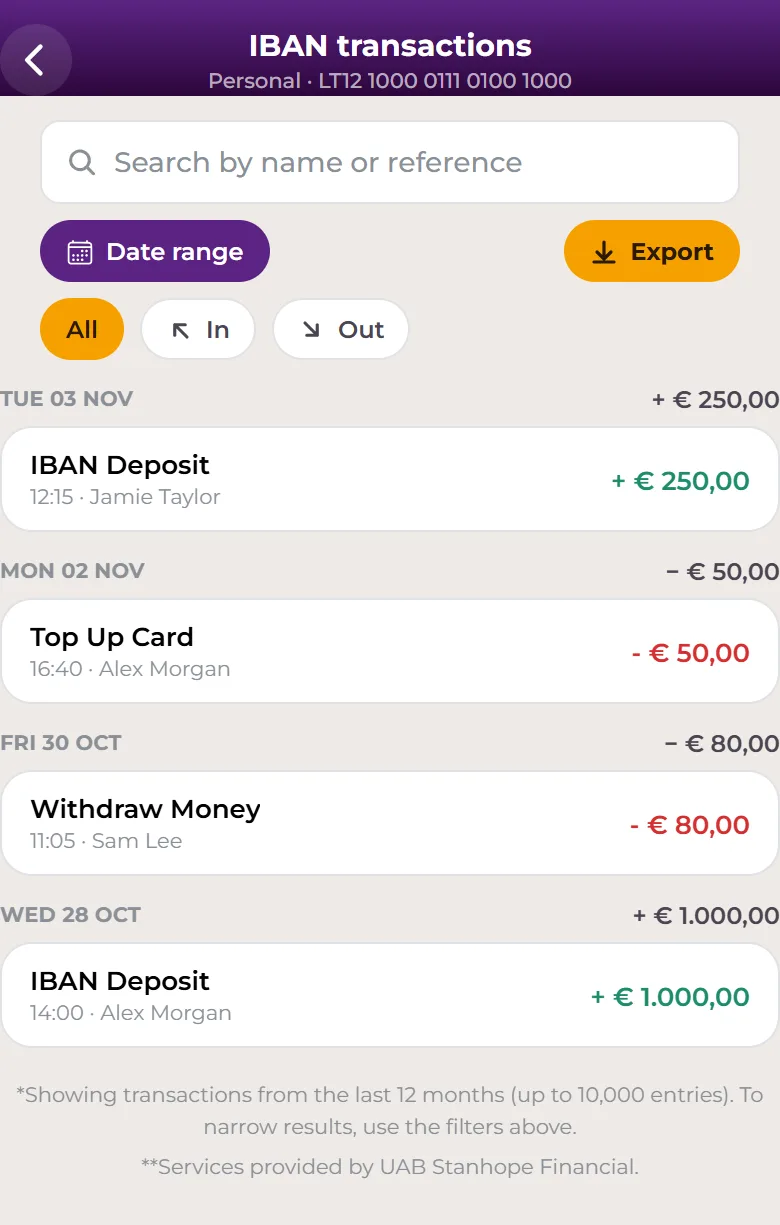
Export your IBAN transactions
- Open the IBAN tab and tap See all transactions.
- If you like, narrow the list with the filters, for example Date range.
- Tap Export.
- Under File format, choose PDF document or Excel workbook.
- Tap Download .pdf or Download .xlsx.
- When you see Download complete, tap Open to view the file.
Export your card transactions
- Open the Cards tab and tap See all transactions.
- If you like, filter by Date range or Card number.
- Tap Export and follow the same steps as above.
On the web
Create a statement
- Go to Account → Statements.
- Under Statement Type, choose IBAN or Card.
- Under Statement date, set Date from and Date to, then select Confirm.
- Under File type, choose PDF or Excel.
- Select Create statement. The file downloads to your computer.
Export a transaction list
- Go to IBAN account or Cards and select See all transactions.
- Select Export, choose PDF or Excel and select Download.
Good to know
- An export includes transactions from up to one year and a maximum of 10,000 entries, with any filters you've applied.
- The transaction lists show the last 12 months. For a statement covering a specific period, use Account → Statements on the web.
- There's no separate confirmation document for a single payment in the app. Tap a transaction to see its details, including the Transaction ID. To keep a record of one payment, export a list filtered to that date.
- To share your own IBAN details with someone, open IBAN → Details and tap Save PDF or Share details.
- Crypto statements are created the same way on the web: choose Crypto as the Statement Type.
Can't find a transaction, or need an official document we don't offer here? Contact support.
IBAN and Visa card issuance and payment services are provided by Stanhope Financial UAB, a company registered in Lithuania (a member state of the European Union) with company code 305574870 and a registered address at Konstitucijos pr. 7, Vilnius, Lithuania. Stanhope Financial UAB is an Electronic Money Institution (EMI licence No. 78) authorized and regulated by the Bank of Lithuania. Access to your IBAN account and your VISA card is technically provided through the Safe2transact platform.